Eight sports, specialized controls
Baseball/softball, football, basketball, soccer, hockey, tennis, lacrosse and volleyball share data capabilities without being forced into one score-and-clock layout.

Sports Scoreboards
Baseball, football, basketball, soccer, hockey, tennis, lacrosse and volleyball, each with its own controls. Score from a phone, or point a camera at the venue scoreboard and let miriGFX read it.
Sets, innings, downs or quarters, not one generic score box.
Hand a QR code to your scorekeeper.
Read the venue's clock and score straight into your board.
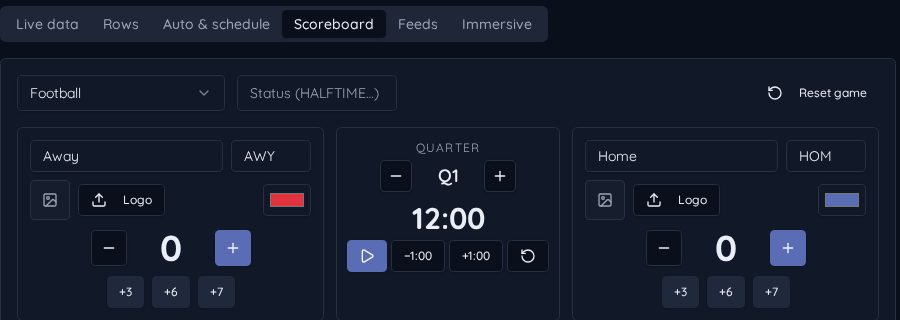
Install a board, choose the sport in the Scoreboard tab, and configure teams and match settings before play. Use the sport's live scoring controls or give the phone scorer to a scorekeeper.
The graphic updates from the same match state, showing sport-specific information: innings and bases, downs and possession, sets and serves, or clocks and penalties as appropriate.
Baseball/softball, football, basketball, soccer, hockey, tennis, lacrosse and volleyball share data capabilities without being forced into one score-and-clock layout.
The Beta Camera Reader uses selected image regions for the clock and scores. Calibrate your camera crop and check recognition against the real board before going live.