
Broadcast graphics that play out from a single URL.
Build lower thirds, scorebugs and full-frames on a canvas sized to your show. Bind them to live data. Drop one URL into vMix, OBS, ATEM or any browser input — transparent by default.
Your channel is a link
Every layer you take in the control room animates live inside that page, alpha channel intact — and the page keeps running for days without signing in.
One output
https://gfx.miri.tech/play/[private-screen-link]Pair a screen and use its private URL in a compatible browser input. This is an illustrative link, not a live output.
Design or import. Add to a playout list. Take to air.
Three steps, no render nodes, no scripting.
DESIGN OR IMPORT IMAGE
Build it on a canvas sized to your show
Text, image and shape layers with smart boxes that grow or shrink to fit your copy. Import SVG from Canva or Illustrator, paste HTML, or install a marketplace template and make it yours.
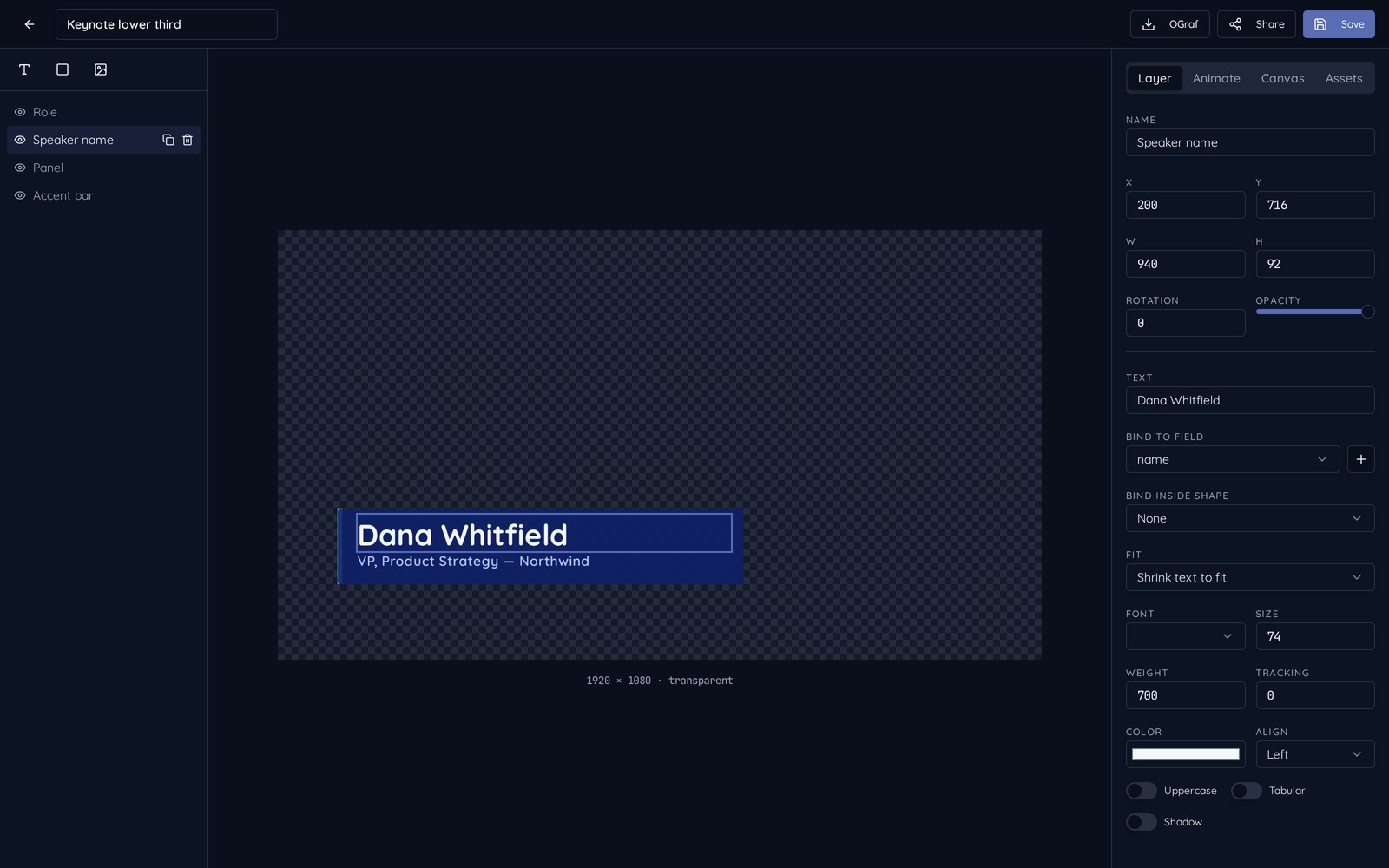
MANUALLY MAKE FIELDS OR BIND TO SOURCES
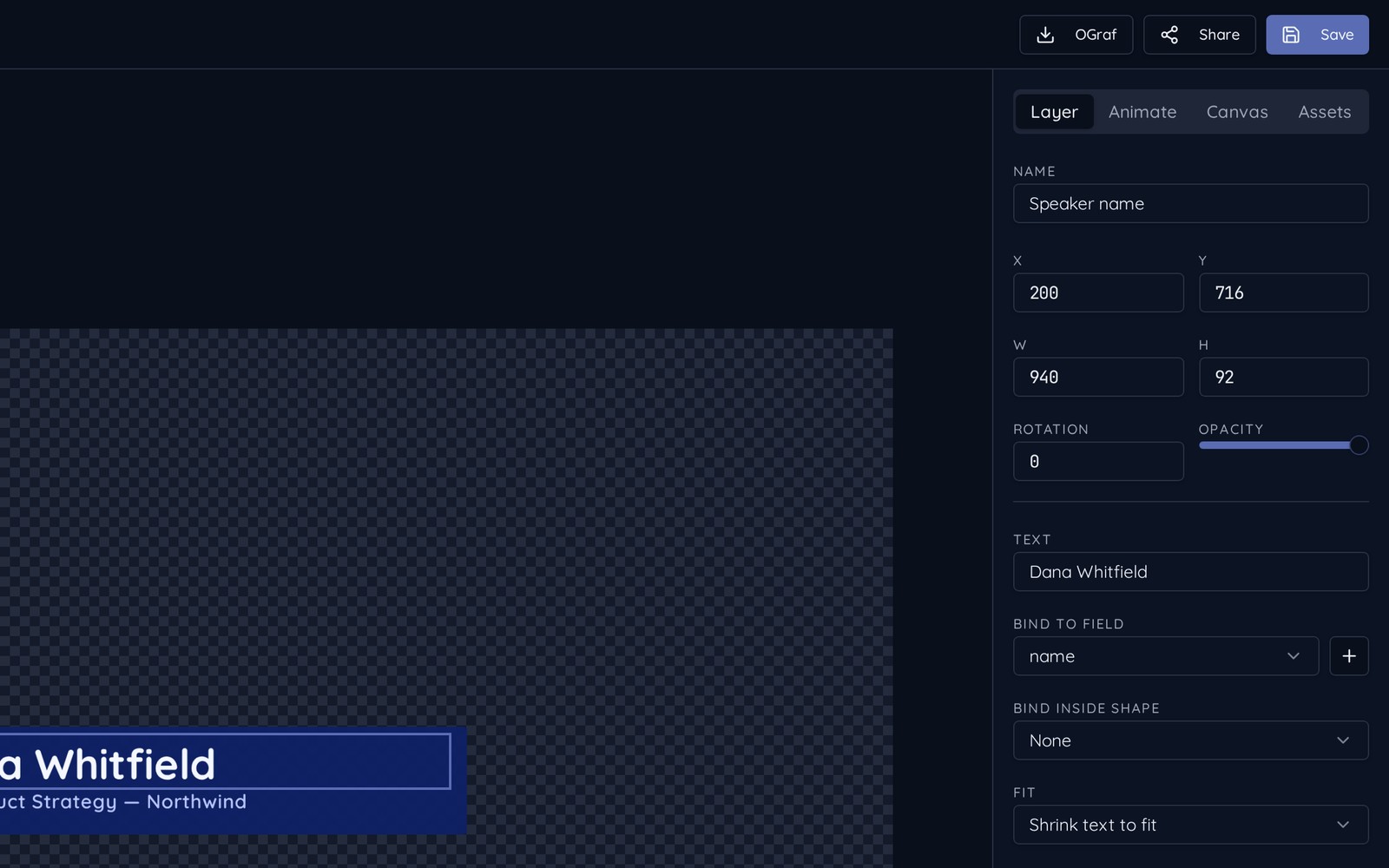
Point every field at live data
Type values by hand, poll a JSON, CSV or Google Sheets endpoint, or let your scoreboard system POST straight to the channel webhook. Bindings are a dropdown, not a syntax you have to learn.
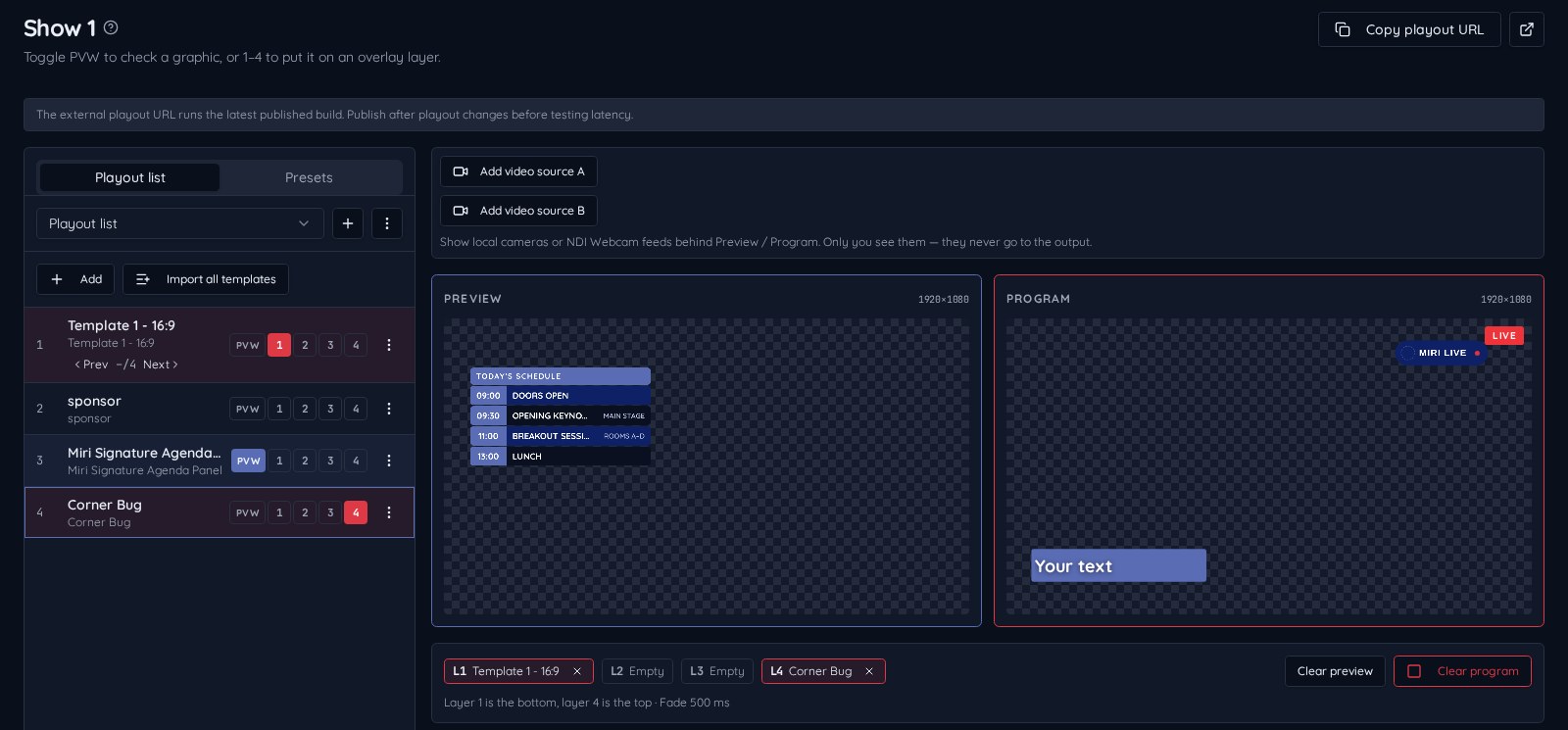
TAKE ON AIR
Stack graphics on four overlay layers
Check any graphic in Preview, then send it to one of four layers on Program — a lower third on layer 1 and a corner bug on layer 4 play at the same time. Each layer fades in and out on its own, presets step with Prev/Next, and two local camera or NDI® feeds can sit behind Preview and Program so you see the shot you're keying over.
What's new in V1.6
Subtitle scripts. Clearer presenter screens.
V1.6 brings SRT/VTT imports, timecode-driven scrolling, live segment tracking, separate text and tag opacity, and three Stage Timer clock formats.
Teleprompter
BetaImport Word, PDF, text or SRT/VTT subtitles. Choose manual speed or Follow timecodes, track the live segment, and control background, text and tag opacity independently. Pause, hold and optional GFX tags connect the script to your show.
Stage Timer
BetaCountdowns, count-ups and count-to-time segments with three clock formats, editable color warnings, and quick messages like “Wrap up”, and a wide layout for a monitor under the stage.
Rendered right here, not screenshots
Every tile below is drawn by the same engine that feeds your playout URL.
Design or import
Canvas layers you size yourself, plus SVG, HTML and marketplace templates.
Bind live data
Type it, poll JSON/CSV/Sheets, run a scoreboard from a phone via QR code, or let your system post to a webhook.
Take it to air
Preview, then layer up to four graphics on air at once — or fire them from a Stream Deck or Companion with the Control API.
Four overlay layers
Stack a bug, lower third and ticker live
Canva, SVG & OGraf
Bring existing artwork, EBU import & export
Live data & scoreboards
JSON · CSV · Sheets, webhooks, QR phone control
Control API
Stream Deck & Bitfocus Companion
Team organizations
Invite teammates, isolated assets
Free marketplace
Install ready-made theme families
Pricing
One channel free with a watermark. Upgrade when you go live for real.
FREE TESTING
$0
- 1 clean active show
- Miri watermark on air
- 200 MB asset storage
- Full editor and marketplace access
Single Channel
$95 per year
- 1 clean active show
- No watermark
- 2 GB asset storage
- Live data feeds and webhooks
4 Active Shows
$295 per year
- 4 clean active shows
- No watermark
- 8 GB asset storage
- Priority feed polling
Extra storage is available on any paid plan, billed per gigabyte per year.