A pause point you can see
A locked hold line is dashed; an editable line has a solid marker and handle. Moving it changes the pause point without squeezing the entrance and exit timing.

Animation & Themes
BetaDrag transitions on a single timeline, scrub through them, and choose whether a graphic holds on screen or plays through. Save your brand colors and fonts as an organization theme.
Beta: available to organizations taking part in early access while we finish it.
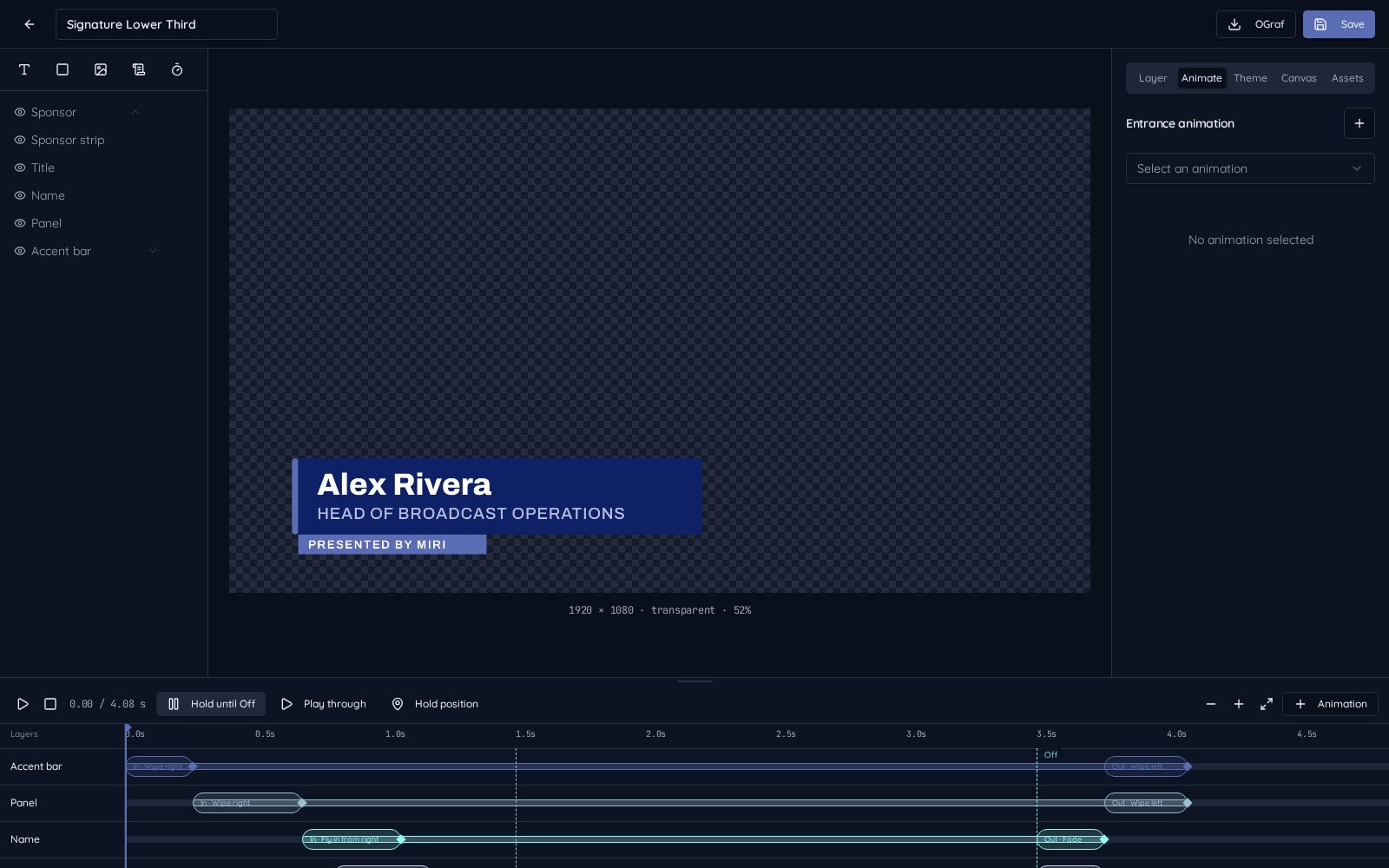
See every frame of the entrance and exit before going live.
Drag the hold marker to choose where the graphic pauses.
Apply your colors and fonts to many graphics at once.
Open Animate in the graphic editor. Arrange entrance and exit effects on one timeline, drag timings and scrub the preview. Choose hold or play-through, and unlock the hold marker when you want to move the pause point.
The saved graphic animates in and out on the normal playout outputs. A hold pauses the animation until exit; a play-through finishes on its own. Wipe exits reverse the entrance direction.
A locked hold line is dashed; an editable line has a solid marker and handle. Moving it changes the pause point without squeezing the entrance and exit timing.
Define colors and primary/secondary fonts in My Graphics / Templates, save a private theme and apply it to selected graphics while retaining content and bindings.